Log in to your Facedrip account.
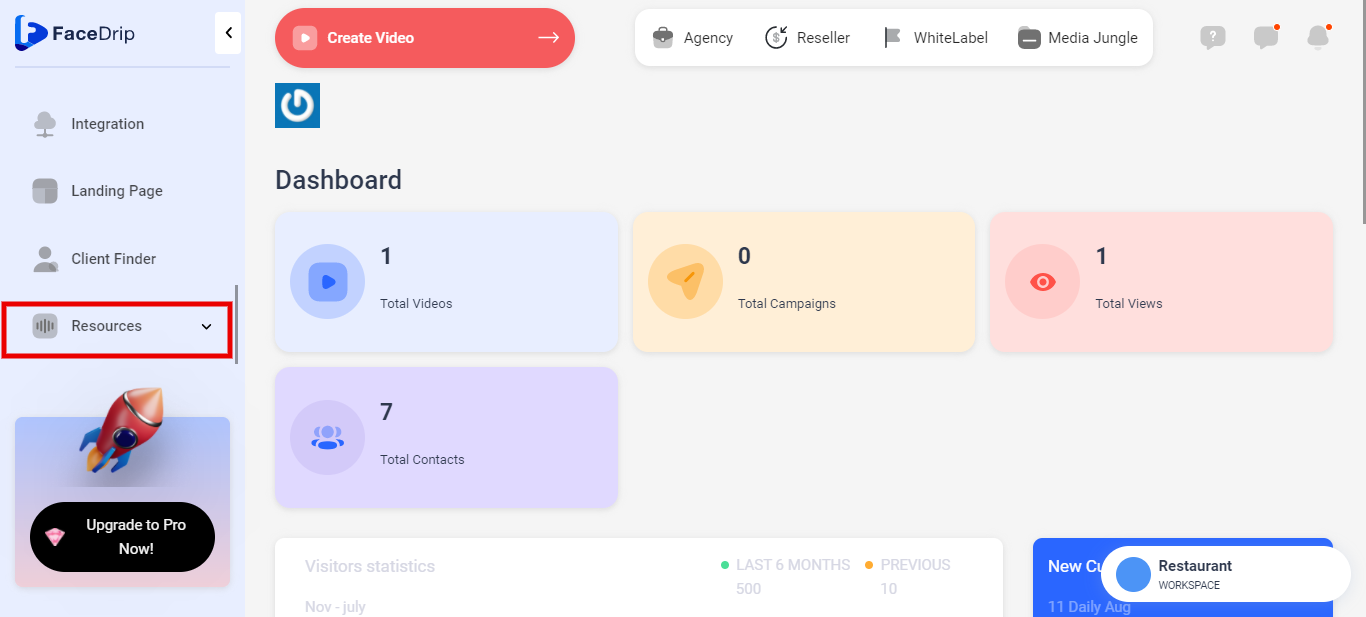
Step 1: Scroll down and click on the ‘Resources’ button on the left-hand side of your dashboard.
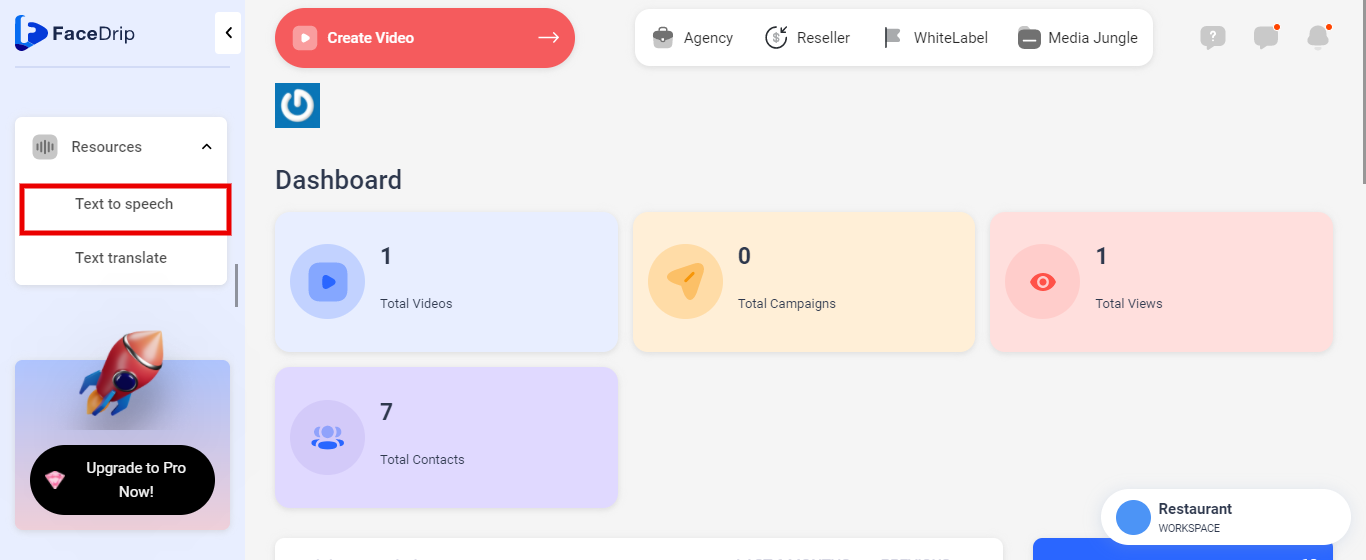
Step 2: Select ‘Text to speech’ from the drop-down menu.
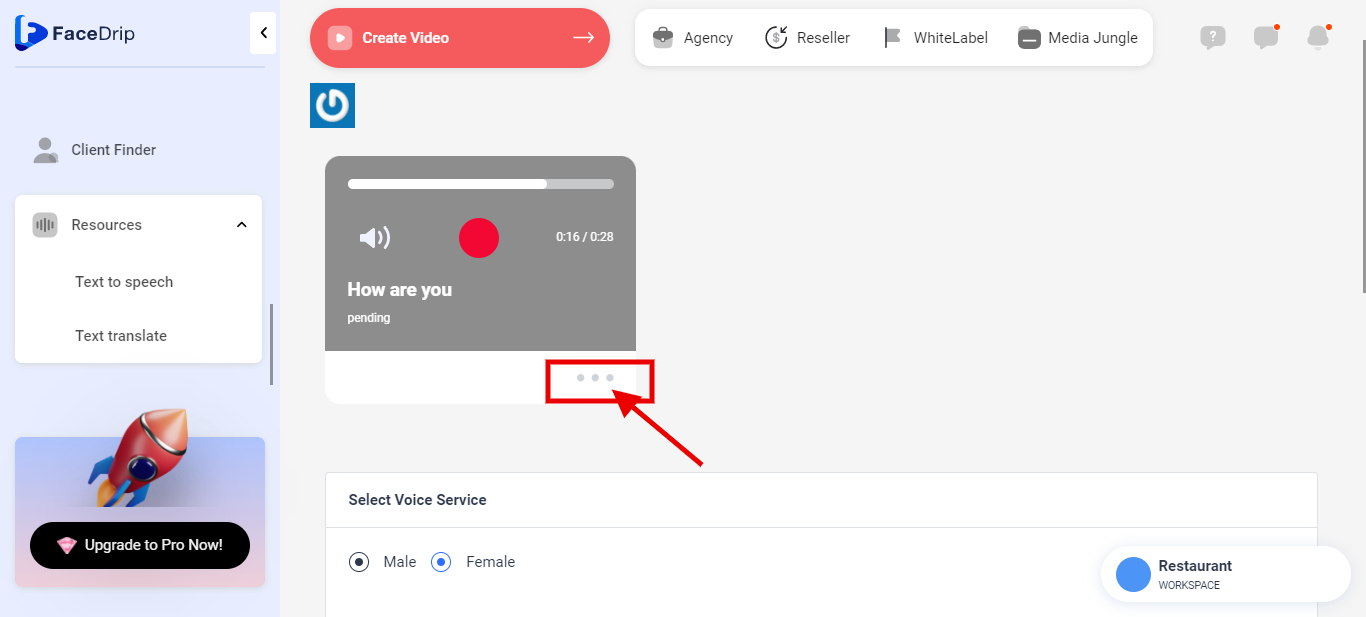
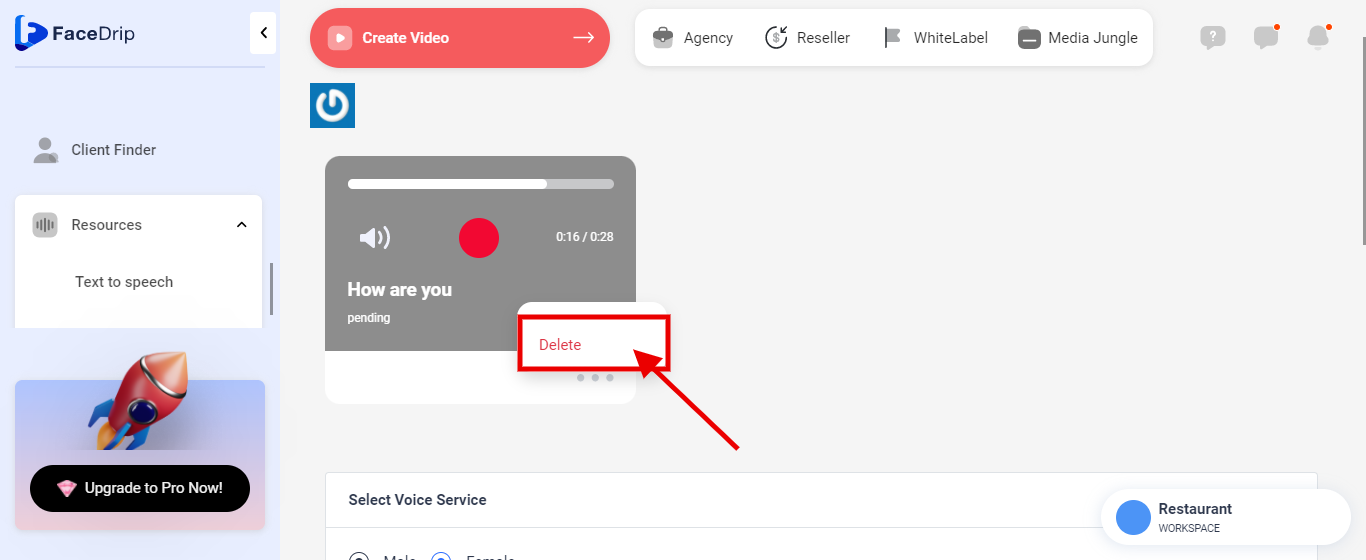
Step 3: On the Text to speech dashboard, click on the ‘triple-dot icon’ by the bottom right corner of the particular converted text card you want to delete.
Step 4: On the select menu, click on the ‘Delete’ drop-down item.
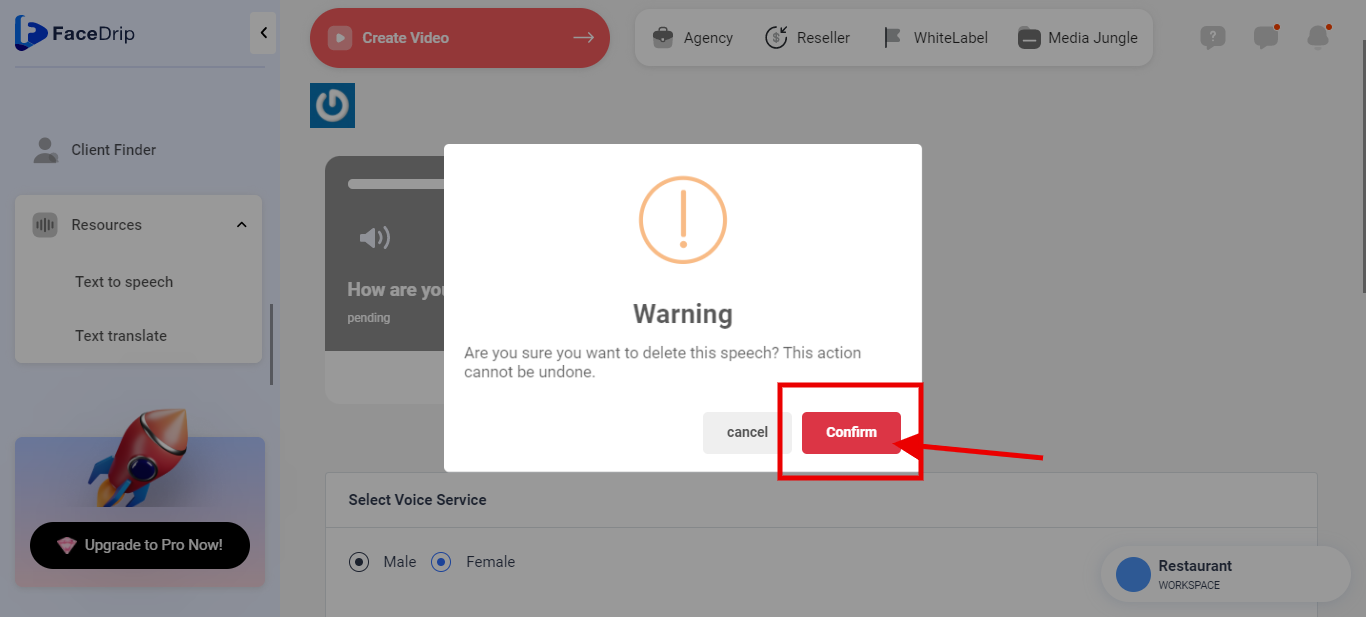
Step 5: On the pop-up Warning form, click the Red ‘Confirm’ Button.
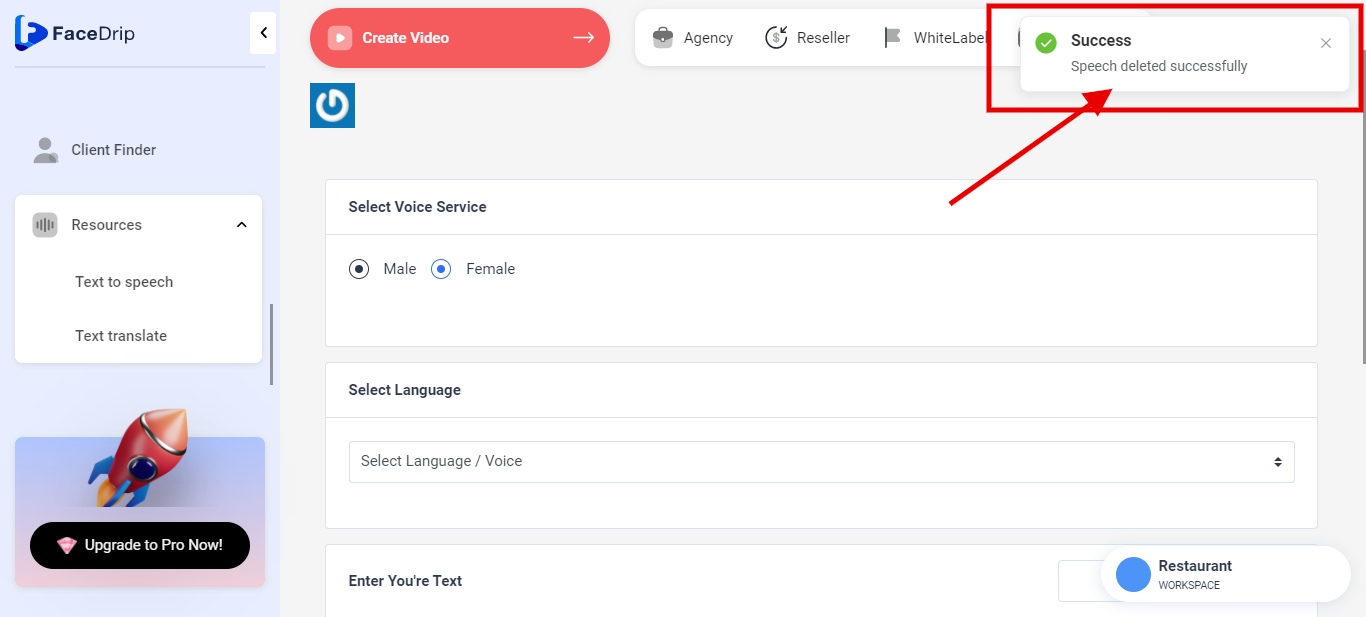
Your converted text to speech (Mp3 format) is deleted successfully!