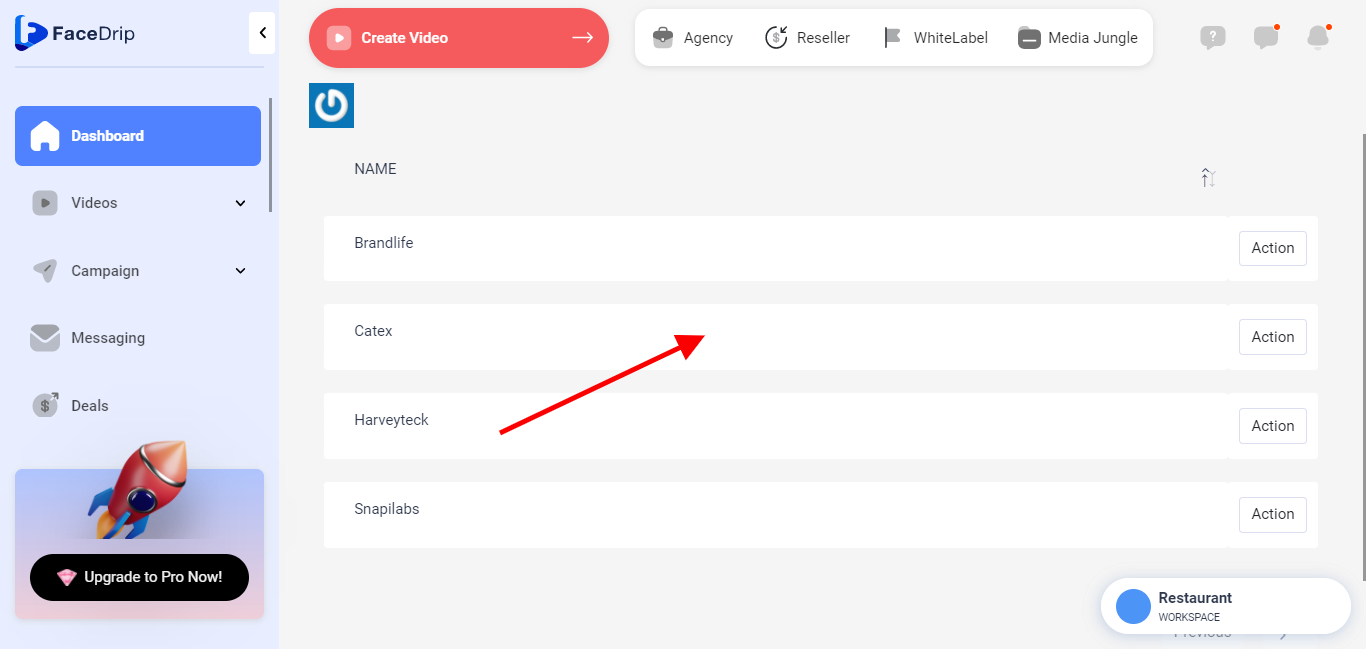
Log in to your Facedrip account.
STEP 1: Click on the “agency”on the top side menu bar of your dashboard.

STEP 2: Click on “workspace” in the options below.

STEP 3: Choose the workspace you want to add a new company and click the “activate workspace” button. (follow this link on How To Create New Workspace)
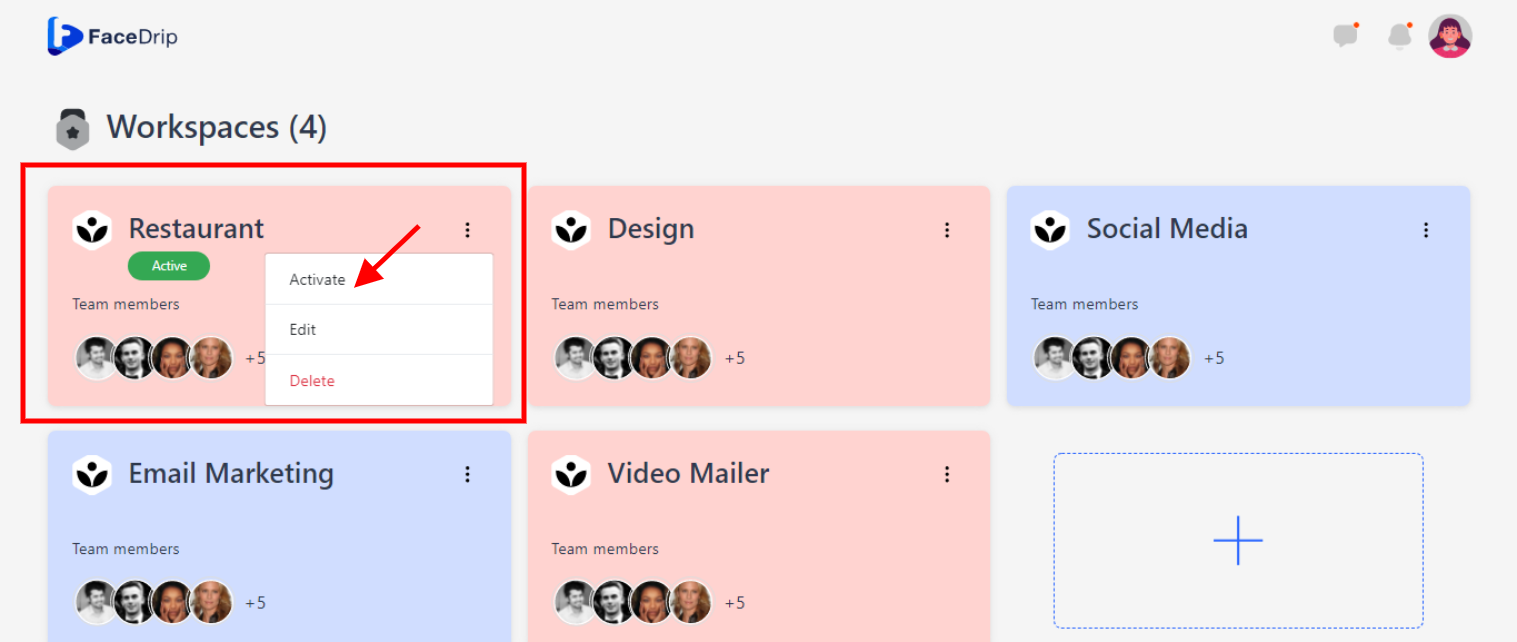
your workspace will be activated successfully! (PS: Go back to your dashboard module to see the active workspace).

STEP 4: Click on “Connection” on the left-hand side menu bar of your dashboard.

STEP 5: Click on the” Company”

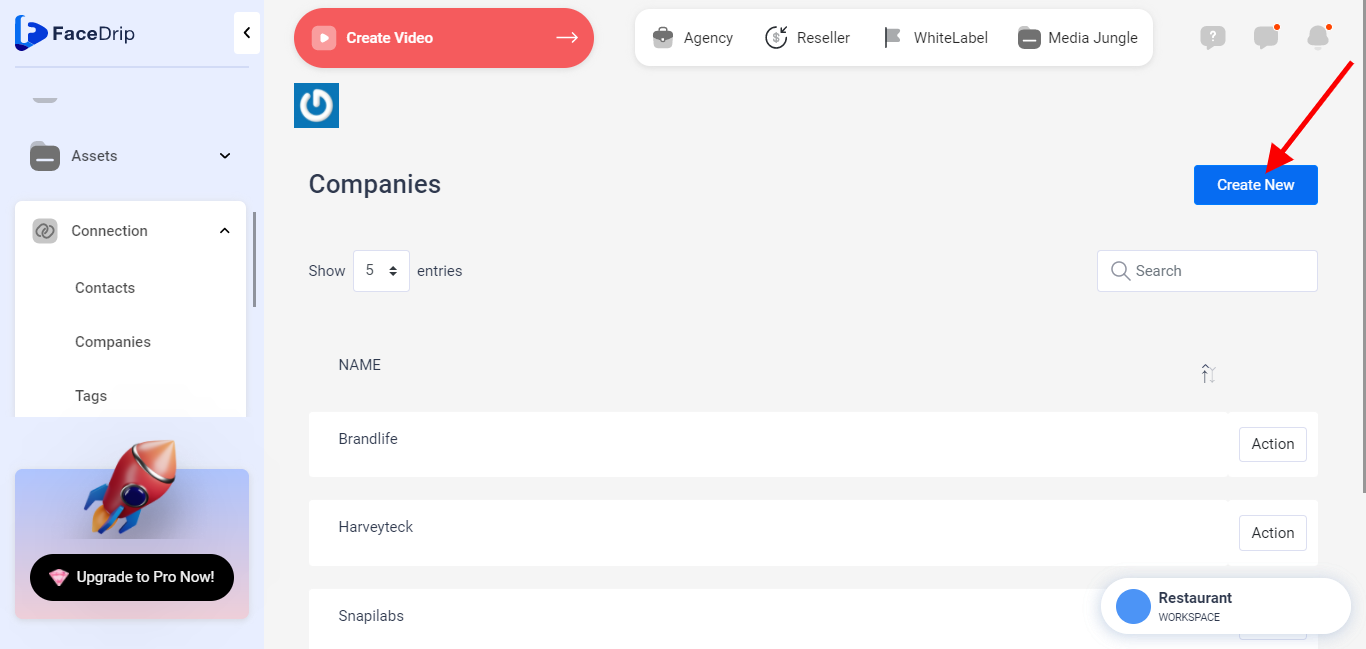
STEP 6: Click on the” Create New”
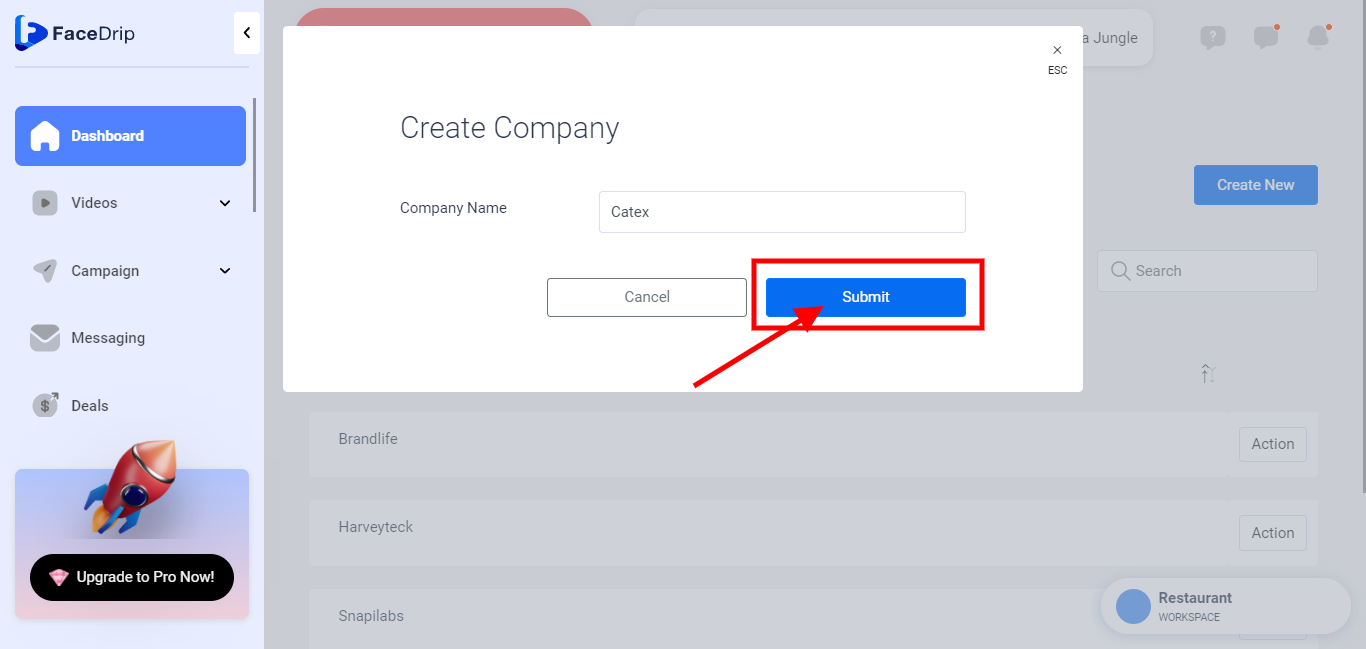
Enter a company name
Provide a valid and unique company name
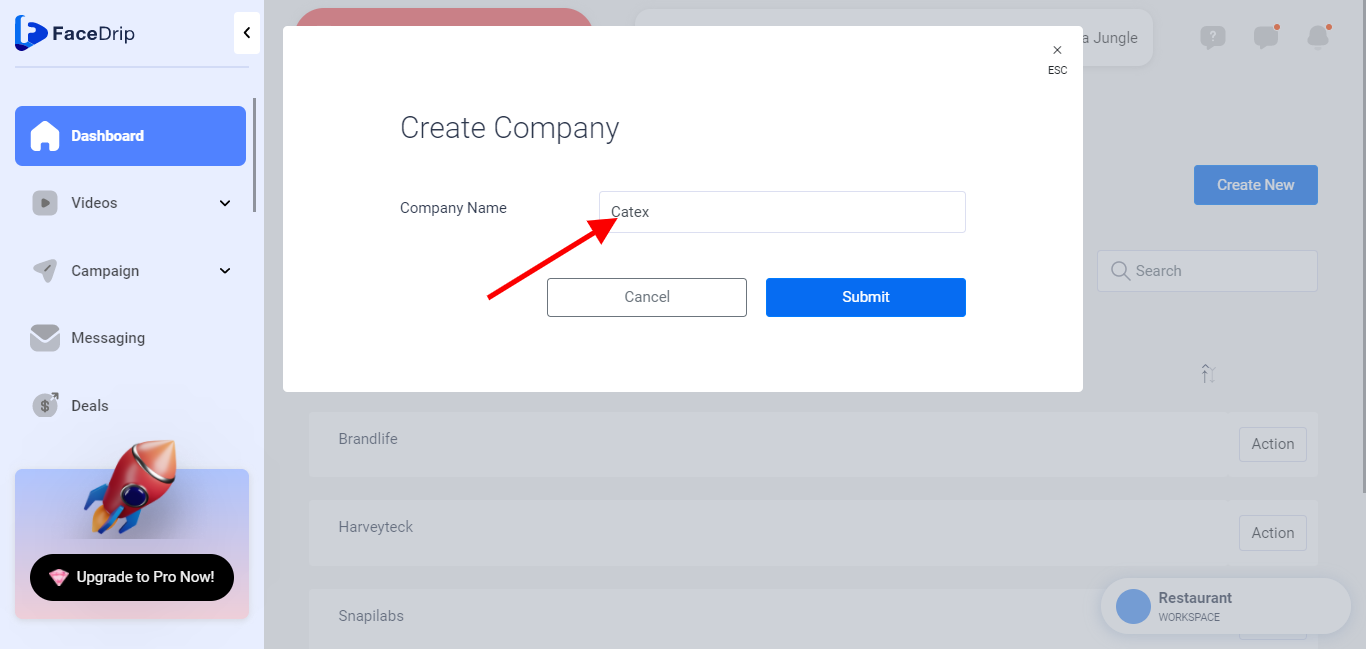
STEP 7: Click on ” Submit”
A success alert message saying ” Company was saved successfully
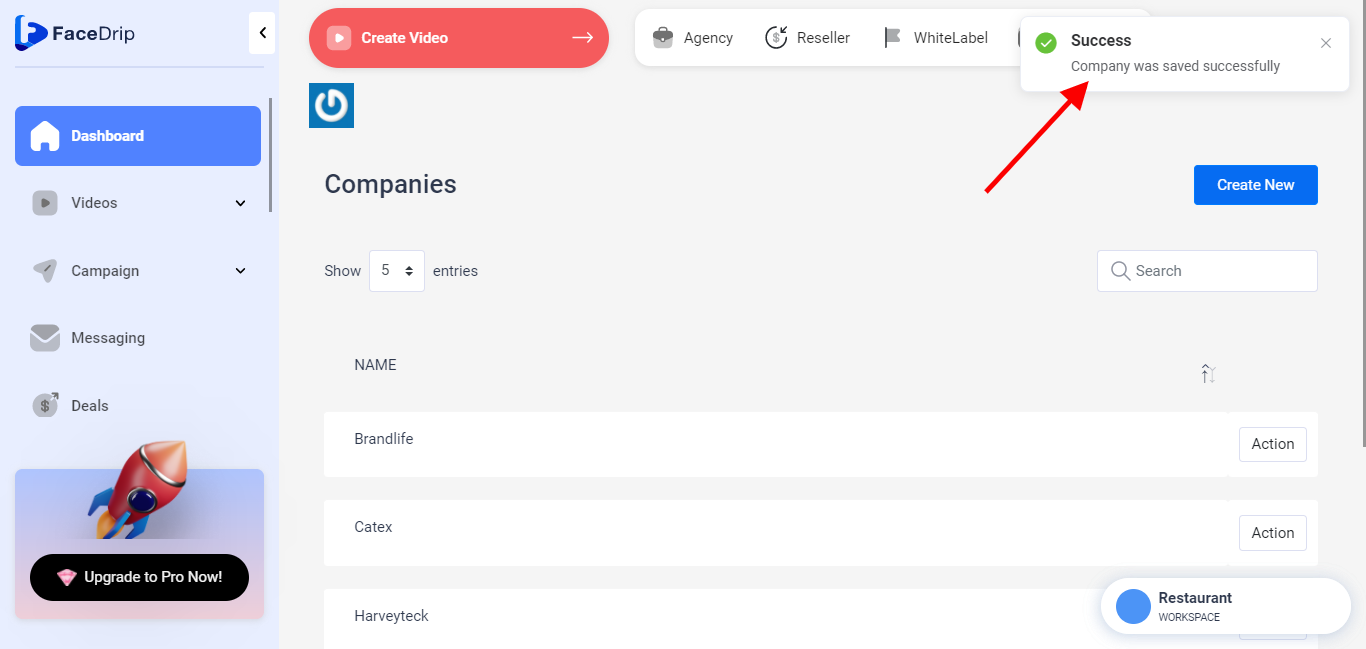
Company is save successsfully