
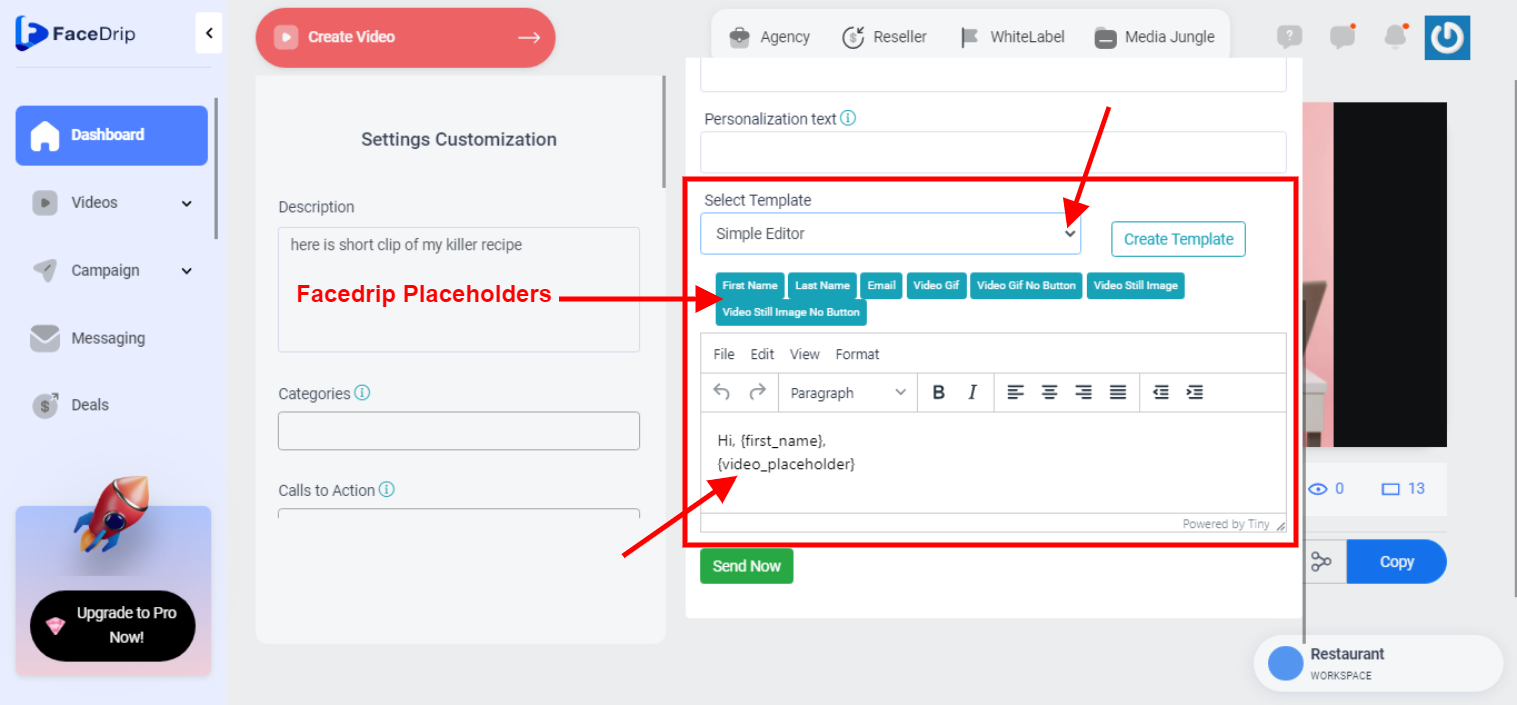
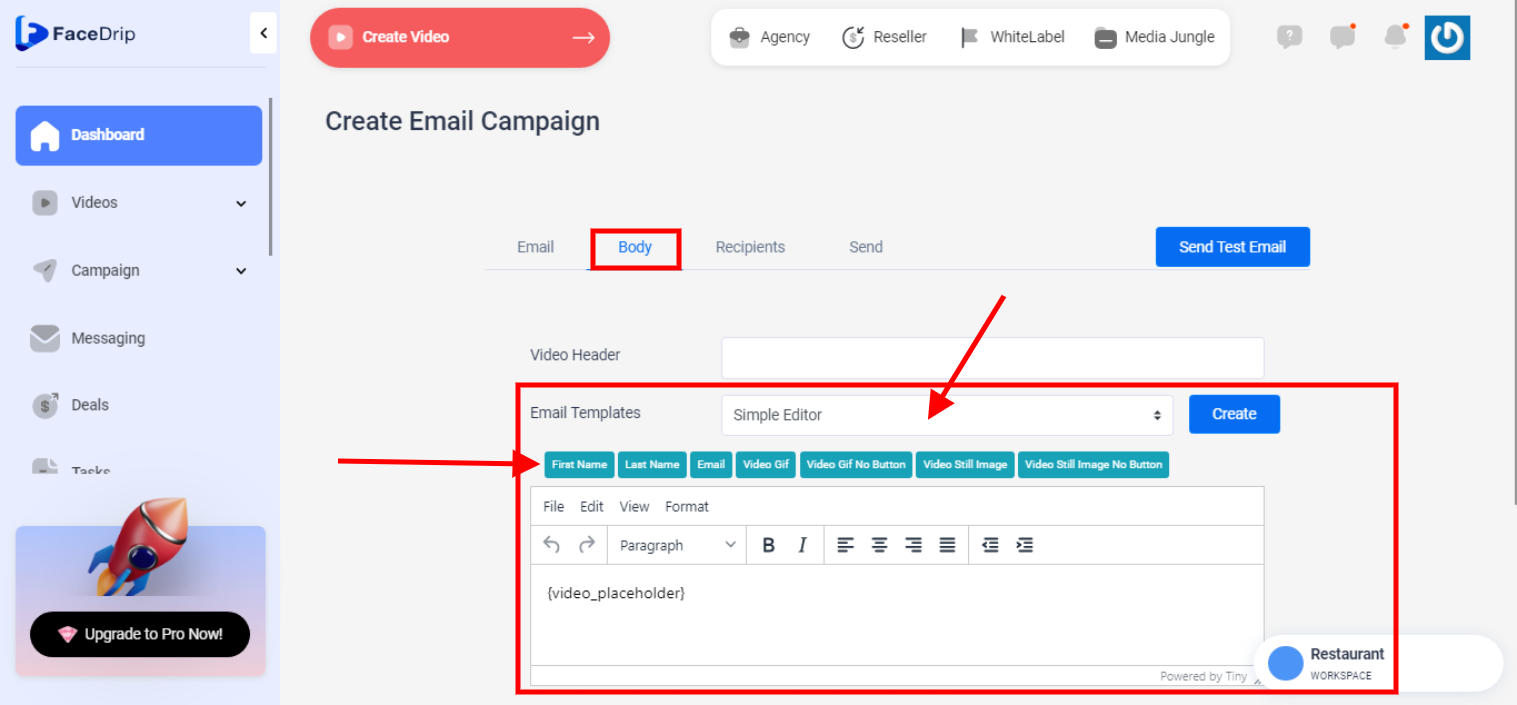
Step 1: Go to the body tab where you want to send a video
==> For sending video directly with facedrip
==> For sending video campaign
==> For sending auto email video campaign
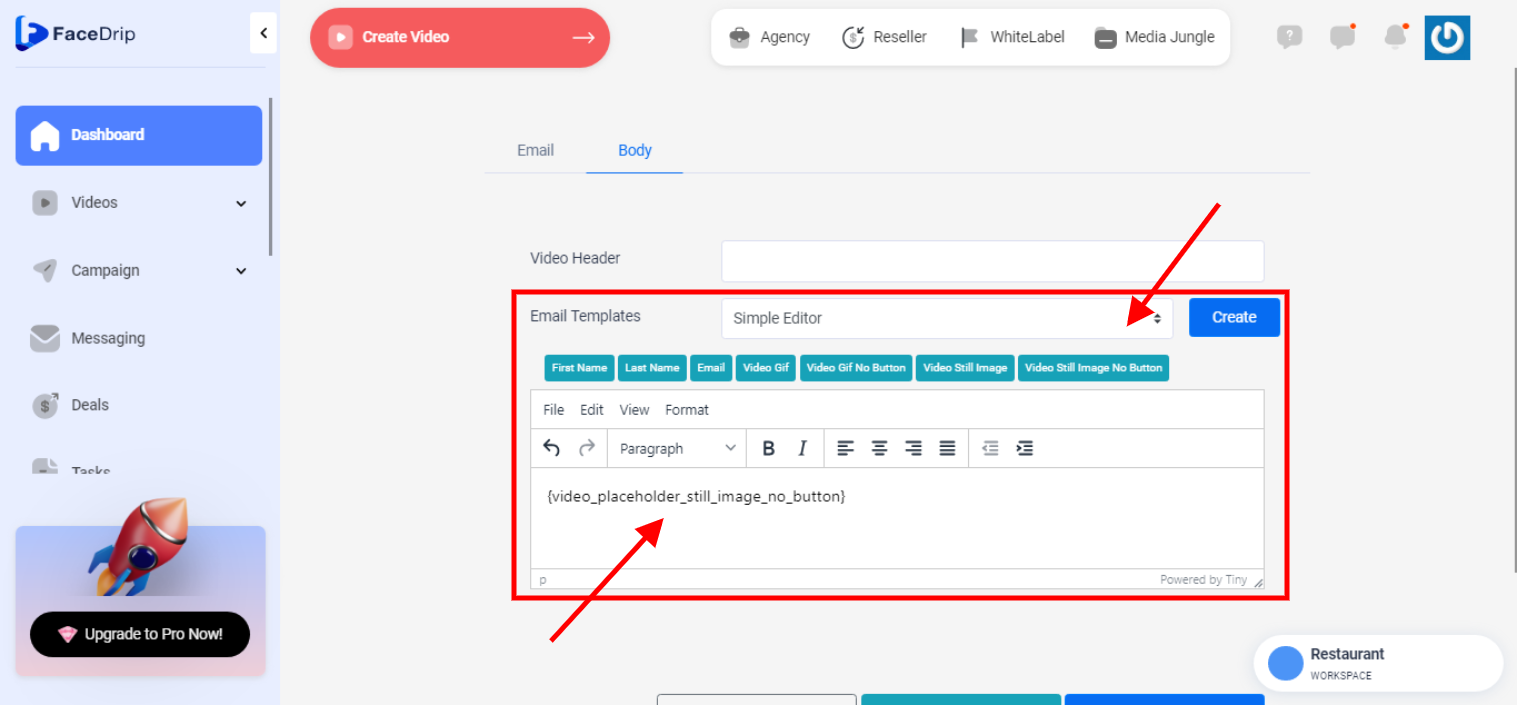
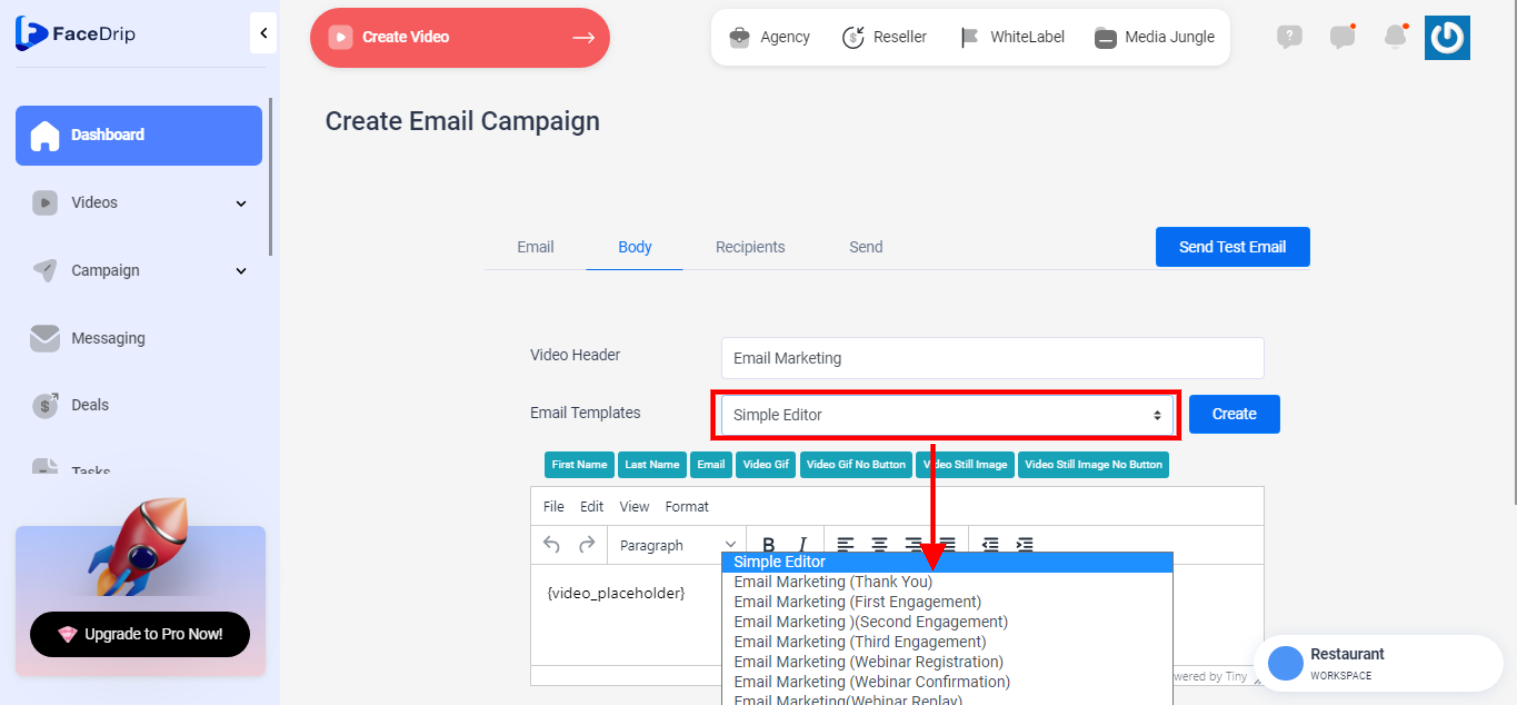
Step 2: Select “simple editor” by clicking on the dropdown from the email templates field.
Step 3: After you select simple editor, enter your preferred description and click on your widget to add it to your email copy.
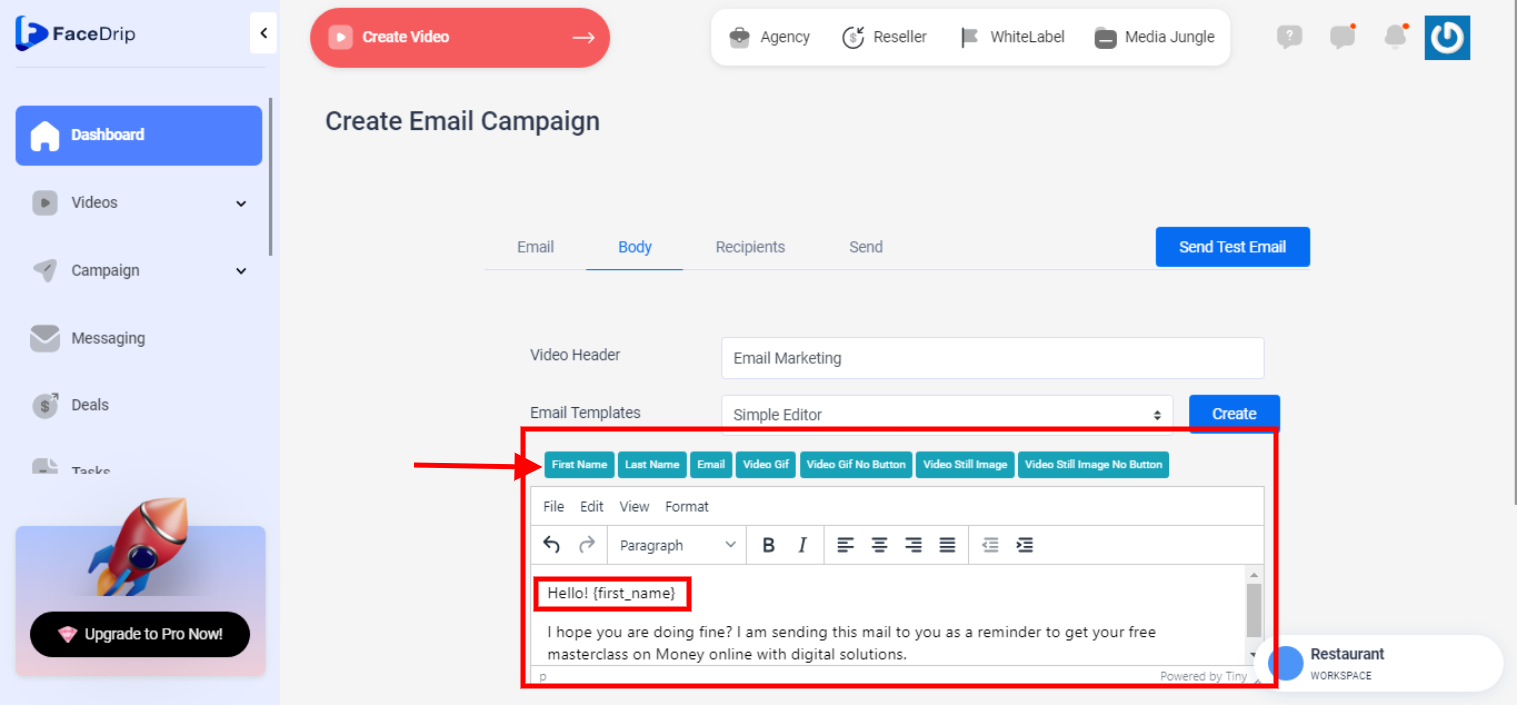
The widget are described below:
{first_name} : adds the recipient’s first name
{last_name} : adds the recipient’s last name
{email} : adds the sender’s email
{video_placeholder} : adds the video gif and cta watch button
{video_placeholder_no_button} : adds the video gif with no cta watch button
{video_placeholder_still_image} : adds the video gif as an image and cta watch button
{video_placeholder_still_image_no_button} : adds the video gif an an image with no watch cta button