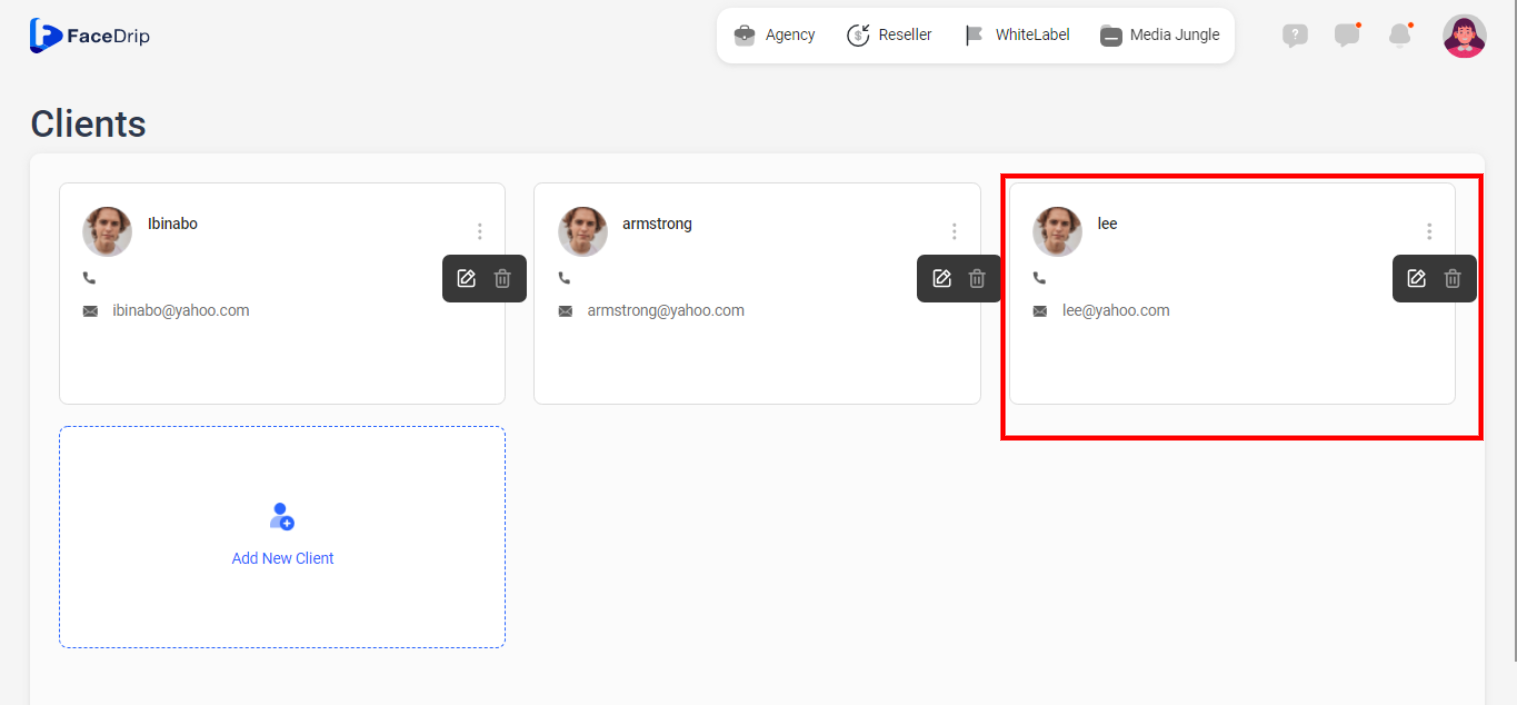
Log in to your Facedrip account.
Step 1: Click on the ‘Agency’ button.

Step 2: Select ‘Client’ .

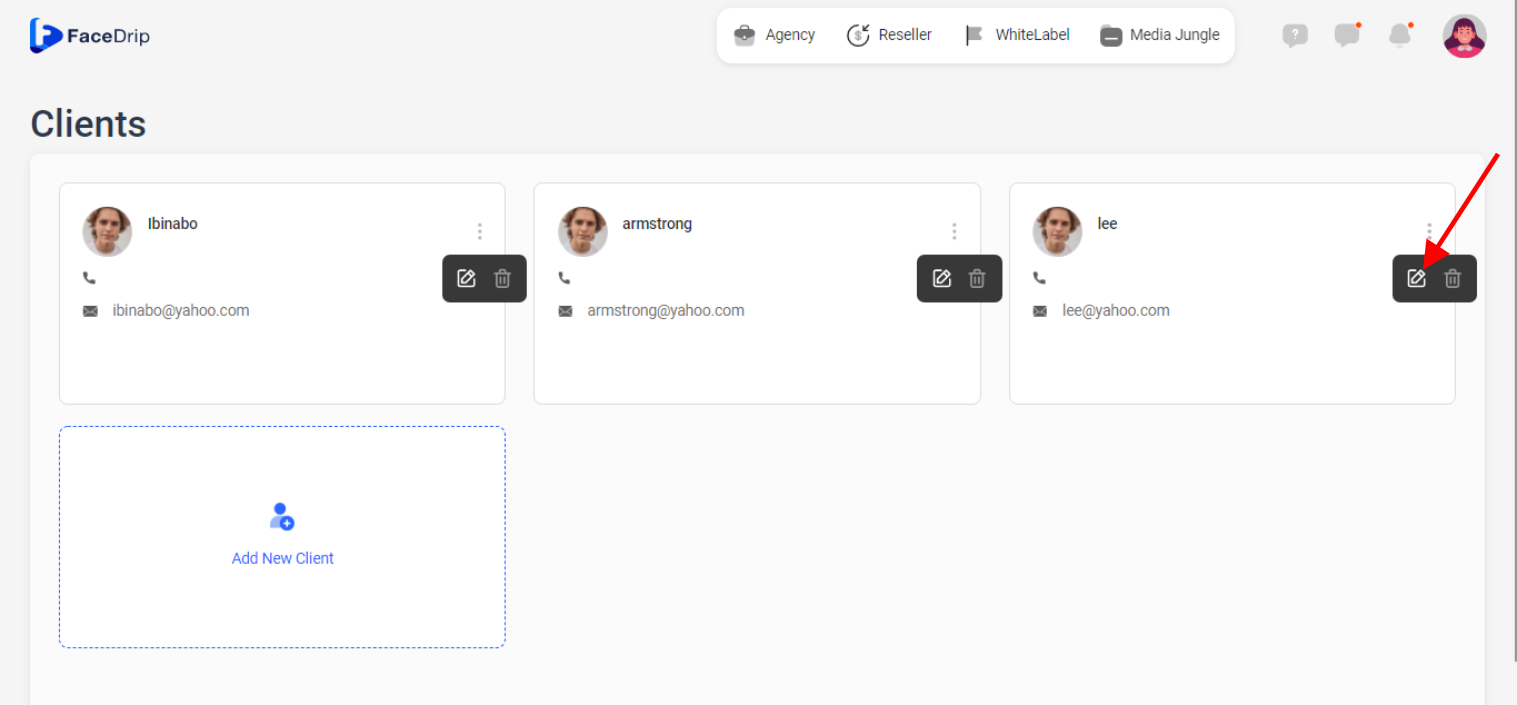
Step 3:Click on the ‘edit icon’ .
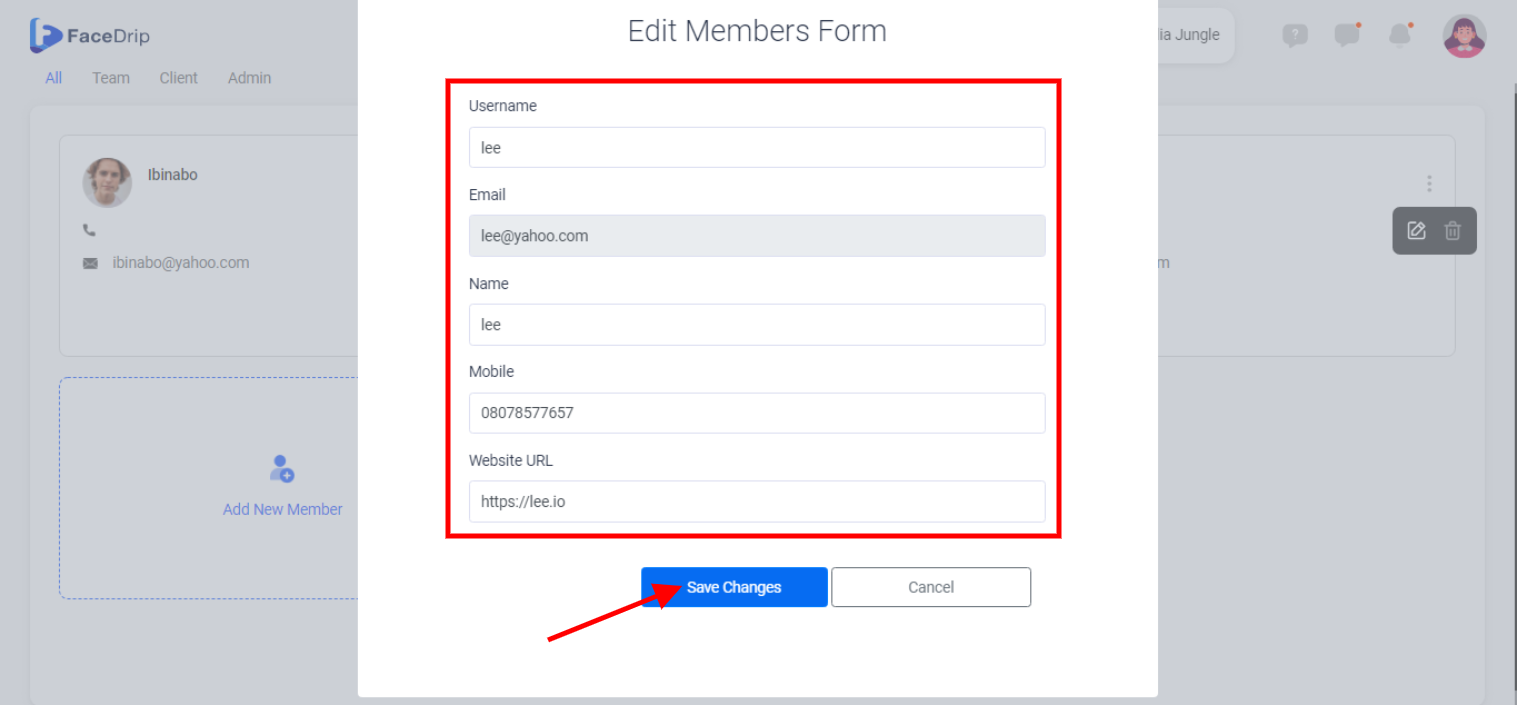
Step 4: On the popup form that appears, make changes to the fields as you desire and click the ‘Save Changes’ button.
Step 5: Client form in workspace is updated successfully!