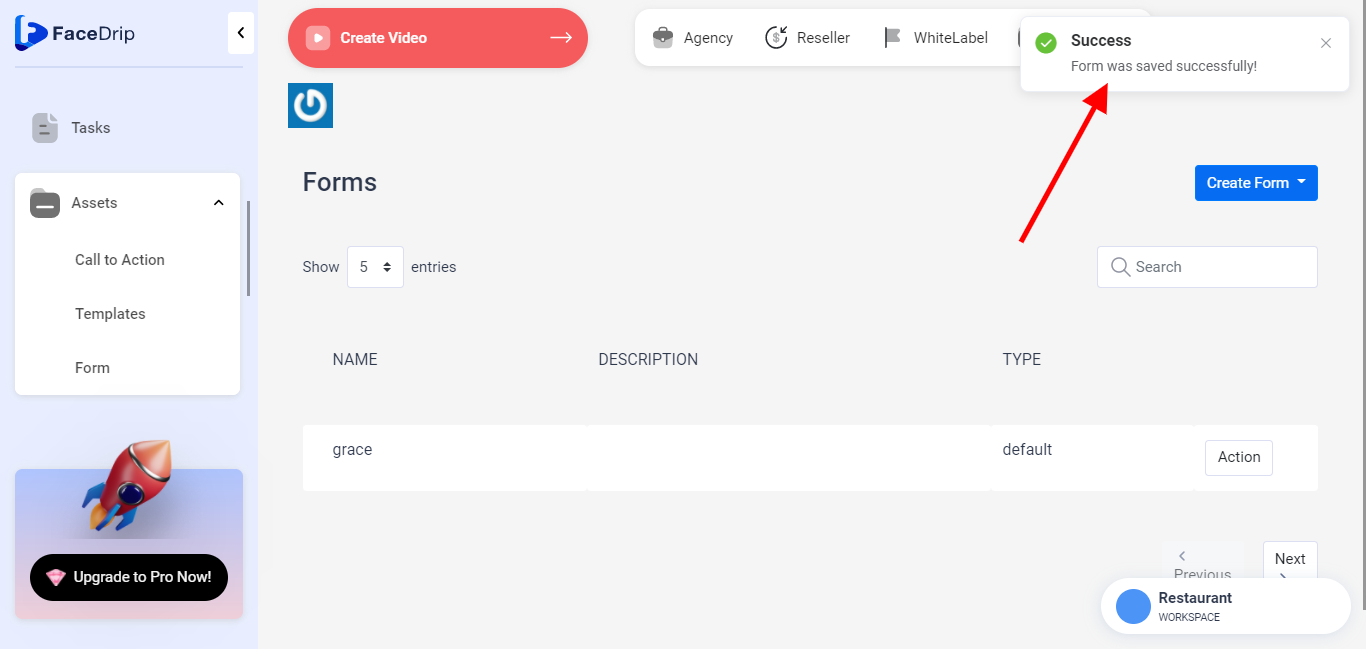
Log in to your Facedrip account.
Step 1: Click on ‘Assets’ button on the left-hand side of your dashboard.

Step 2: Select ‘Form’ from the drop-down menu.

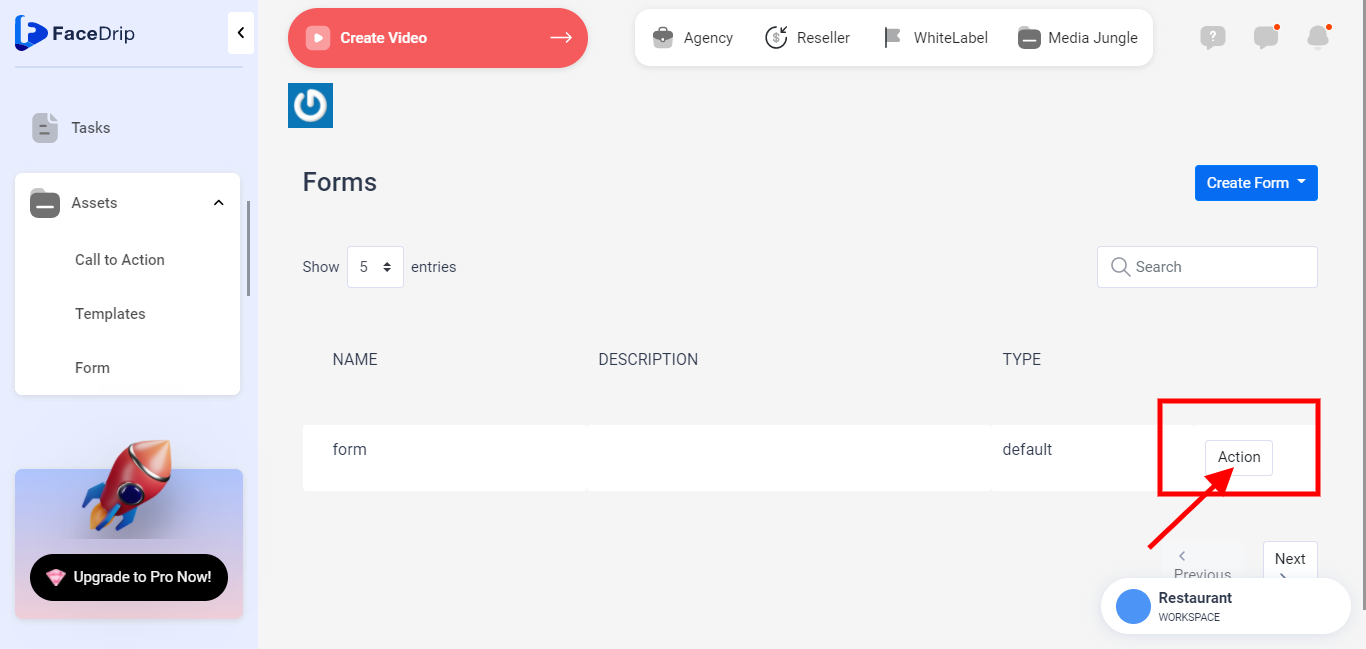
Step 3: Click on the ‘Action’ button by the far right of the form you want to Edit.
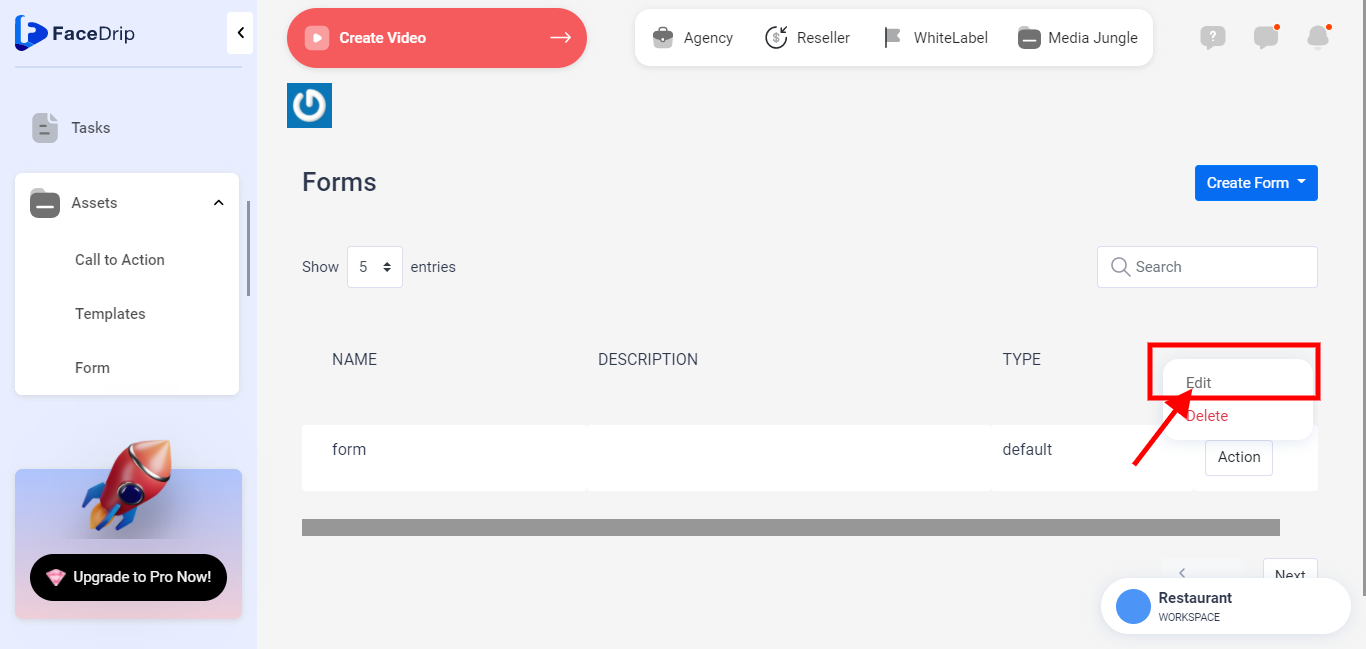
Step 4: On the select menu, click on the ‘Edit’ drop-down item.
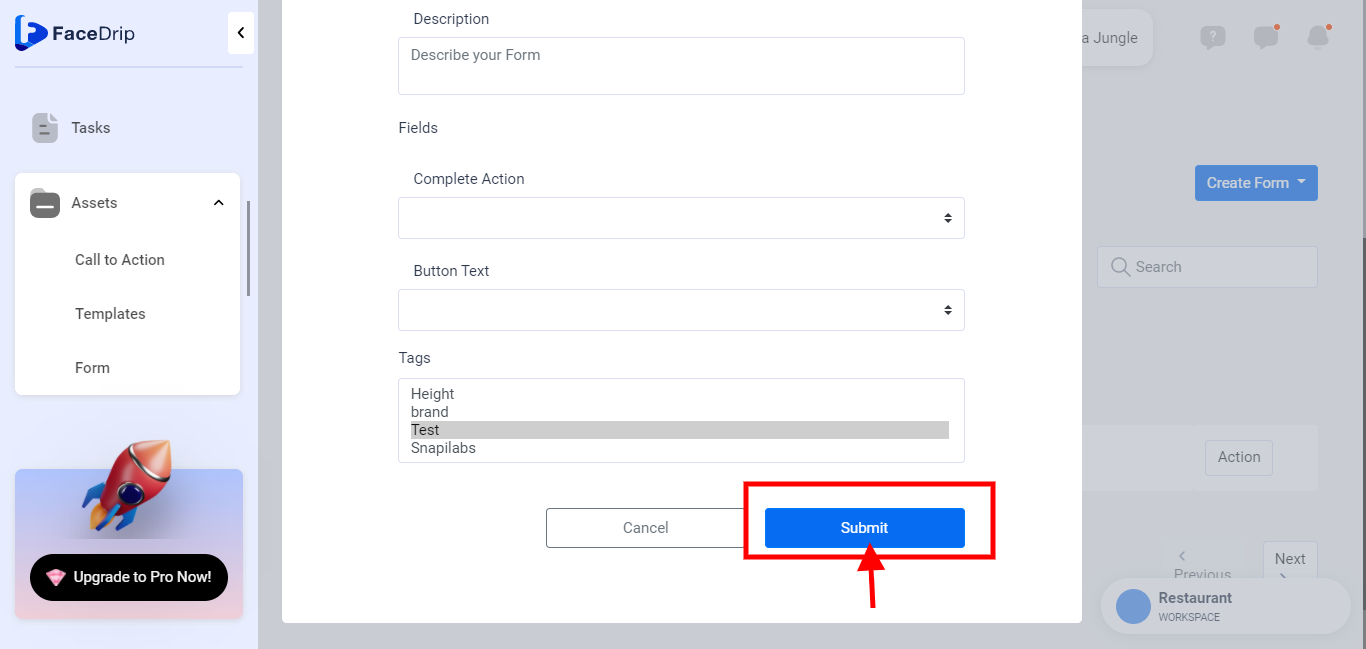
Step 5: On the pop-up Edit Form, make changes to the field/s you wish to and click the ‘Save Changes’ Button.
The Form is edited successfully!