
Once you have installed the Facedrip Chrome Extension, you will see a small Facedrip icon within your Gmail window.
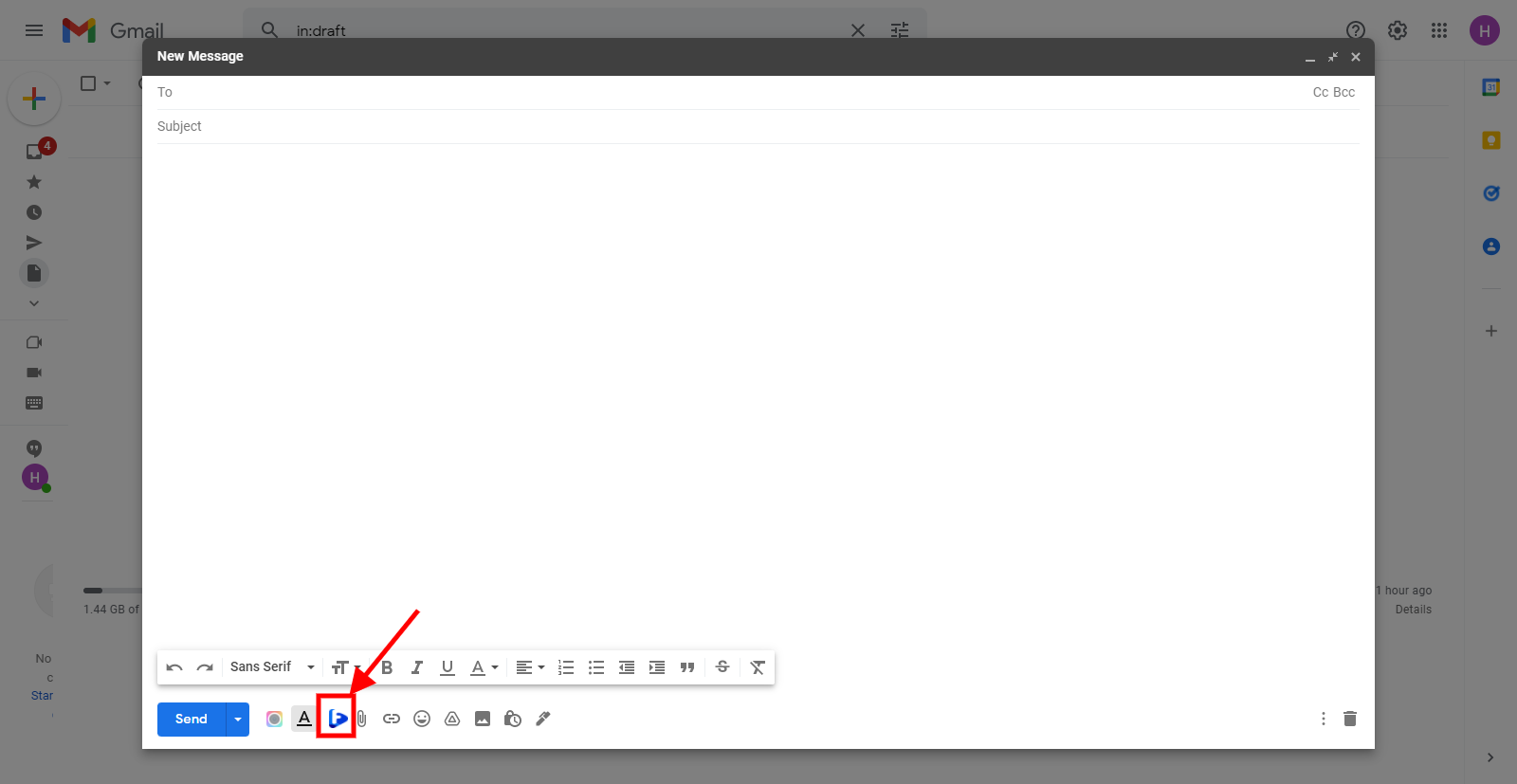
Kindly follow the steps to learn how Facedrip extension integrates with Gmail.
Step 1: Log in to Facedrip by clicking on the extension icon on your browser

Step 2: Once your successfully log in to Facedrip. Click on the icon within your Gmail window
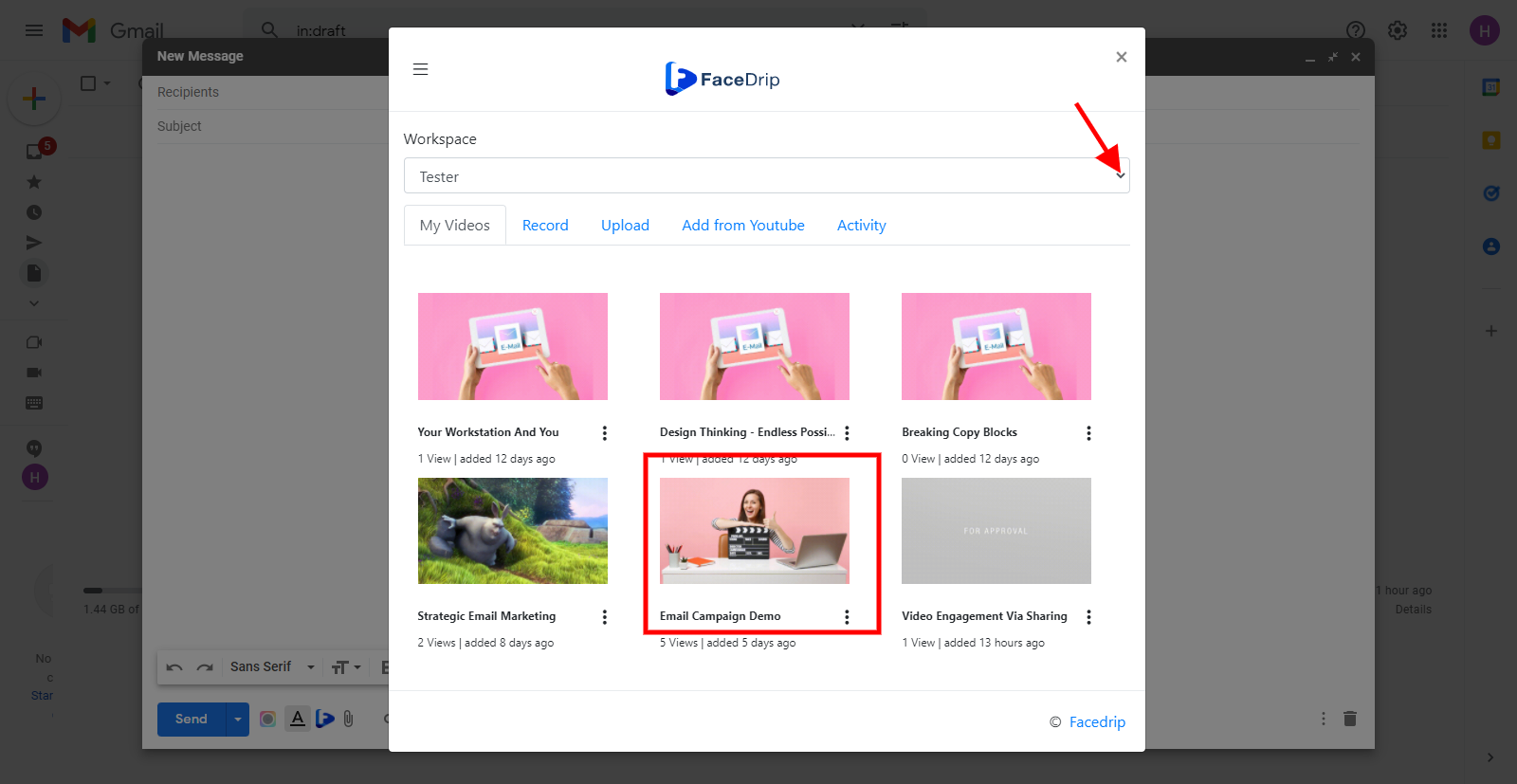
Step 3: Click on the video of your choice from your selected workspace
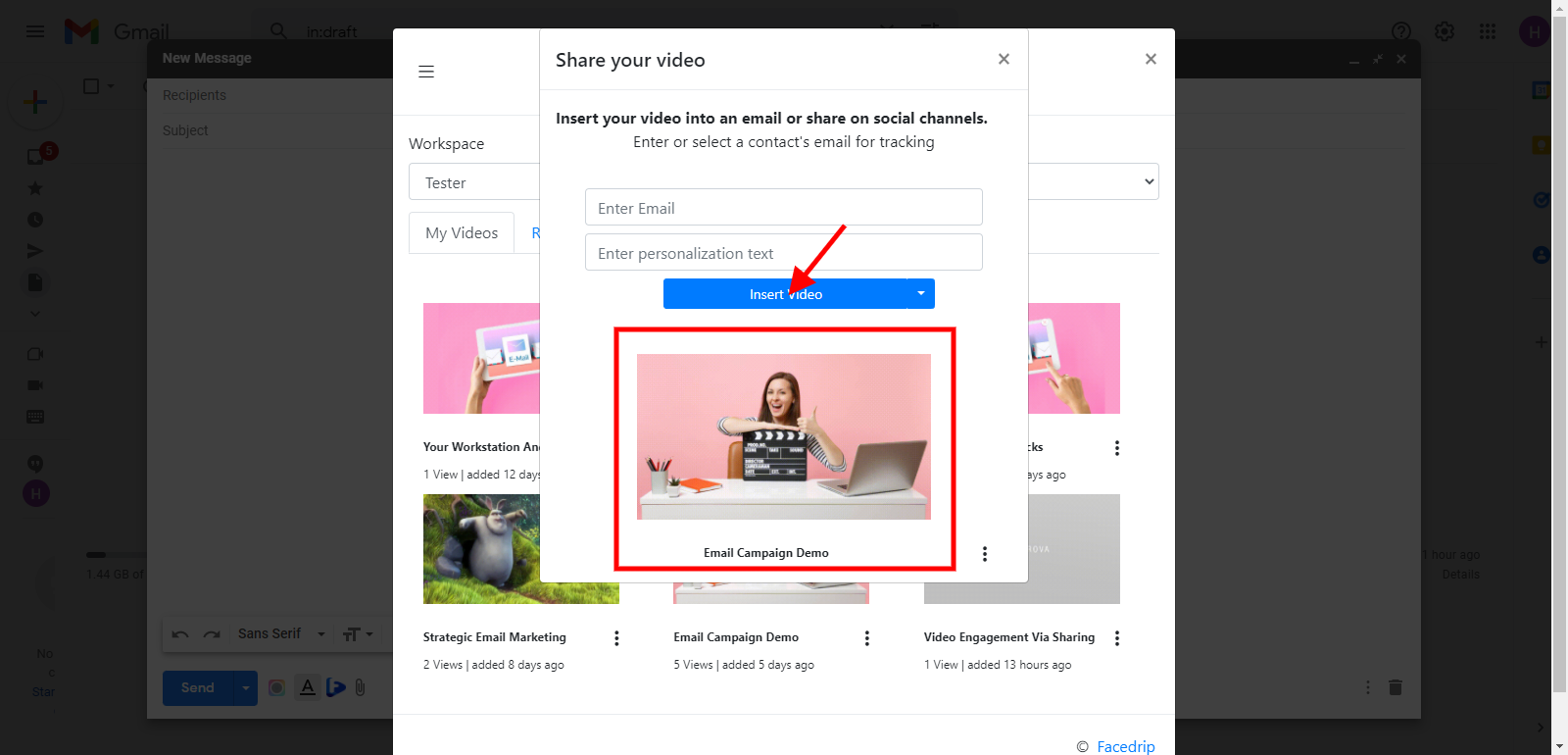
Step 4: Click on the insert video button
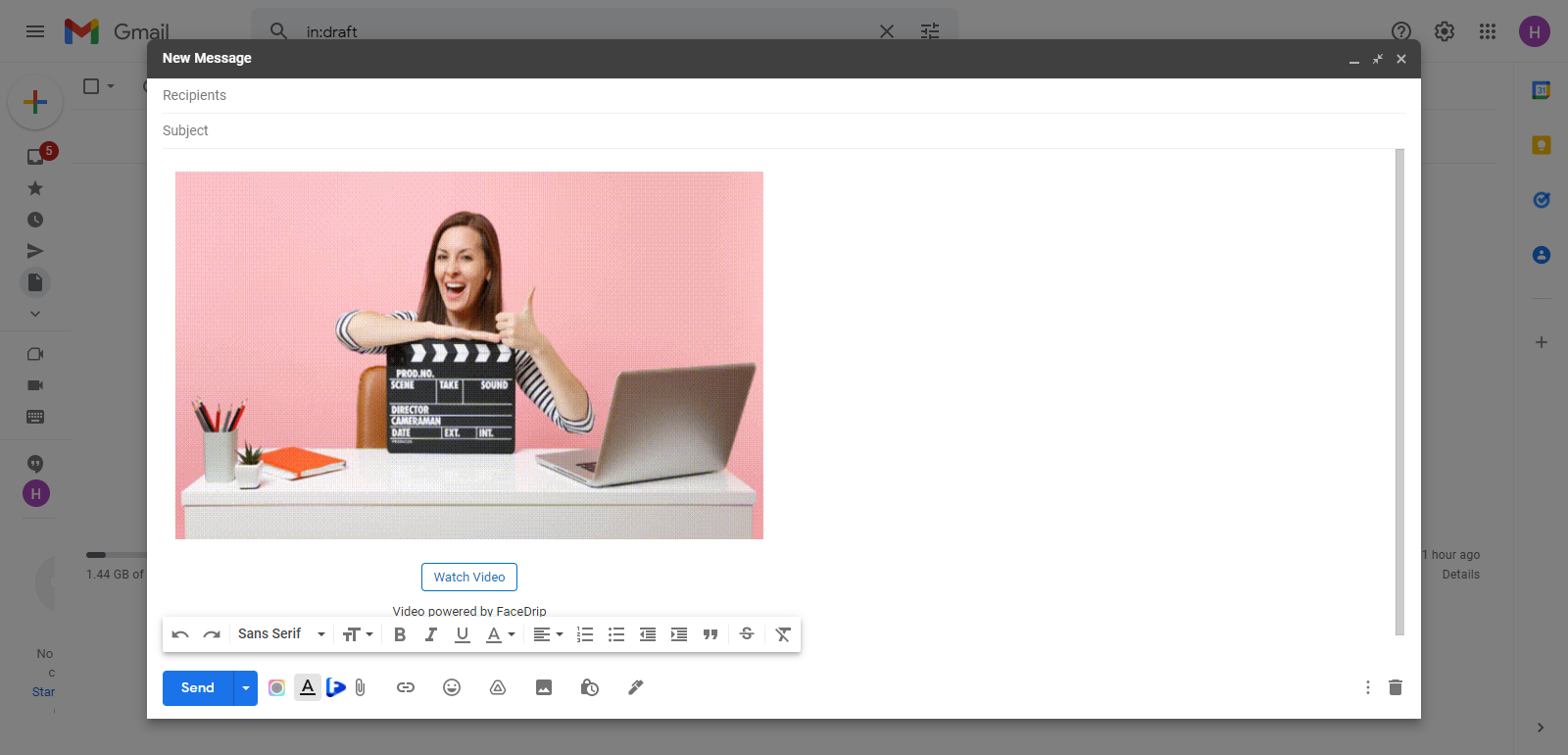
Video will be inserted
How to Record Video using Facedrip Extension on Gmail
Kindly follow this link on how to record a video with a camera using the Facedrip chrome extension.
Kindly follow this link on how to record a video with a screen using the Facedrip chrome extension.
Kindly follow this link to learn how to upload a video via Facedrip extension.